Yeld · iPhone photo & video cleaner
Make room for
what matters.
Your iPhone is full. Yeld gets the space back: swipe through your camera roll, compress the videos you keep and turn screenshots into notes. Most of it without deleting a single memory.
Free to use · No account · Everything stays on your iPhone
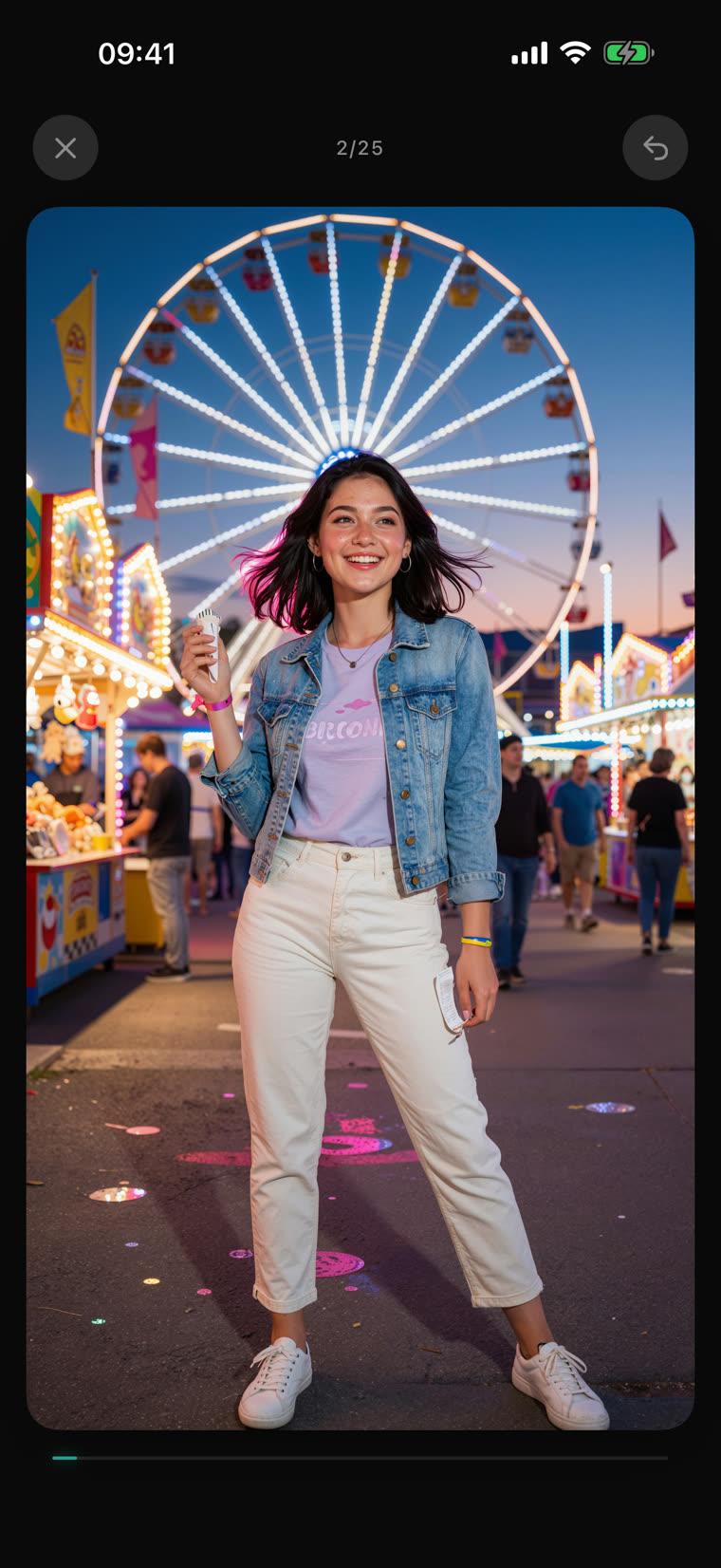
 KEEP
50 GB back. Nothing deleted.
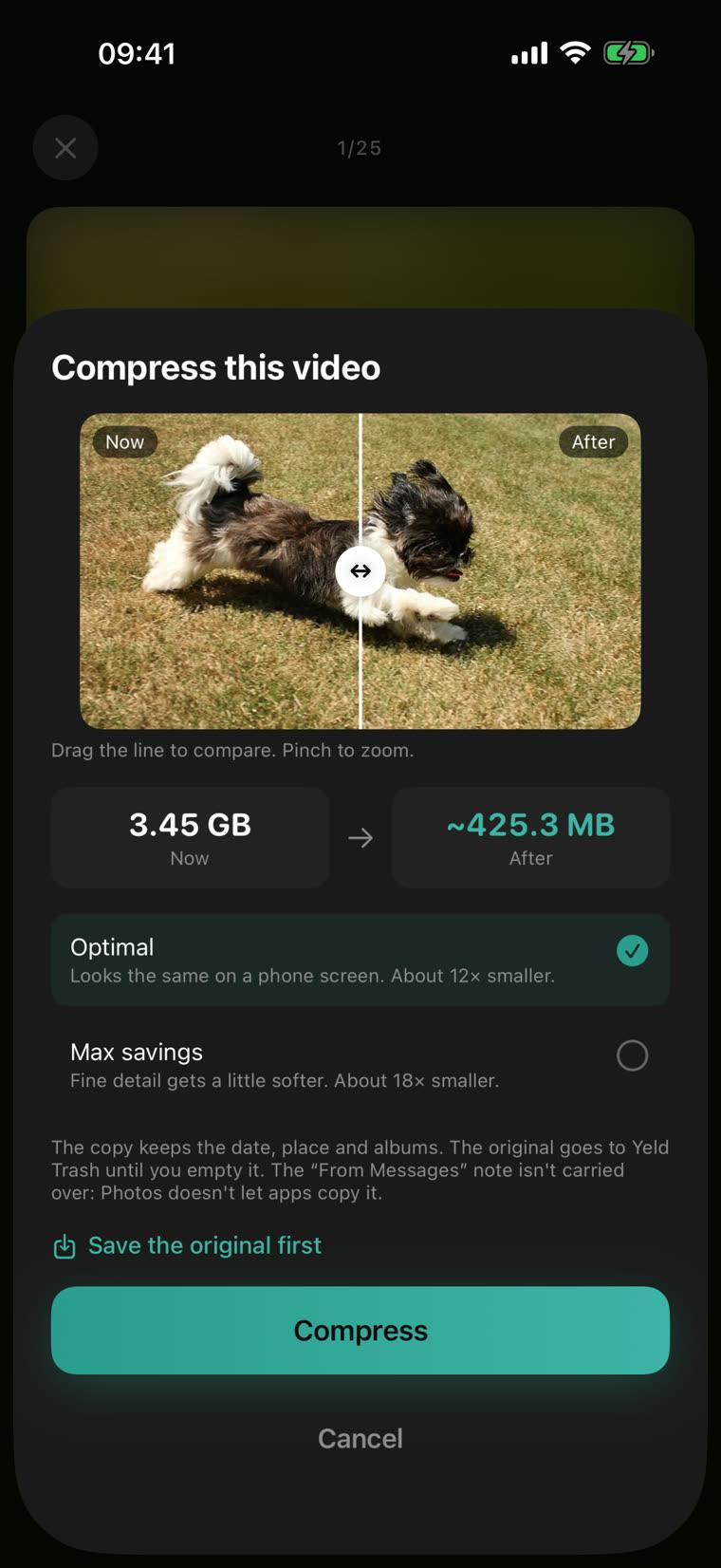
Videos take most of your space. Yeld makes a copy that looks the same on your iPhone and takes about 12× less room — and shows how much each one saves before you start.
- Compare the same frame of your video now and after
- From iOS 26, long batches keep going in the background
- The original waits in Yeld Trash until you empty it
Screenshots you shouldn’t keep.
Card numbers, passwords, recovery phrases and ID documents end up in screenshots and stay there for years. Yeld finds them on your iPhone, and you decide about each one.
- Delete, hide in Photos or keep each one
- New screenshots are checked as they come in
- Free, and nothing leaves your iPhone
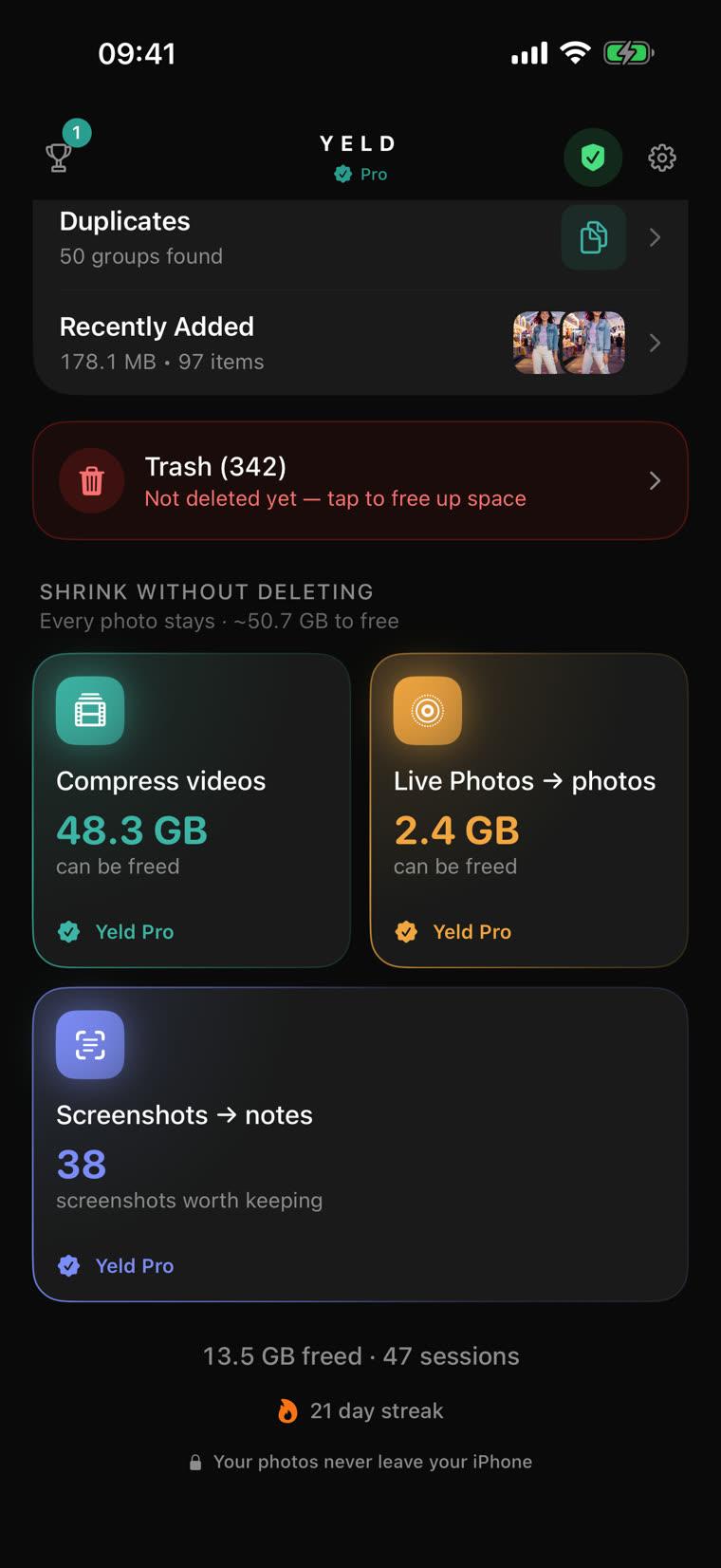
See what takes your space.
Yeld shows where your storage goes and what can come back without deleting anything — then you start from the biggest win.
- Videos, photos and screenshots at a glance
- Live Photos and ProRAW tools, when you have them
- Start a cleanup with one tap
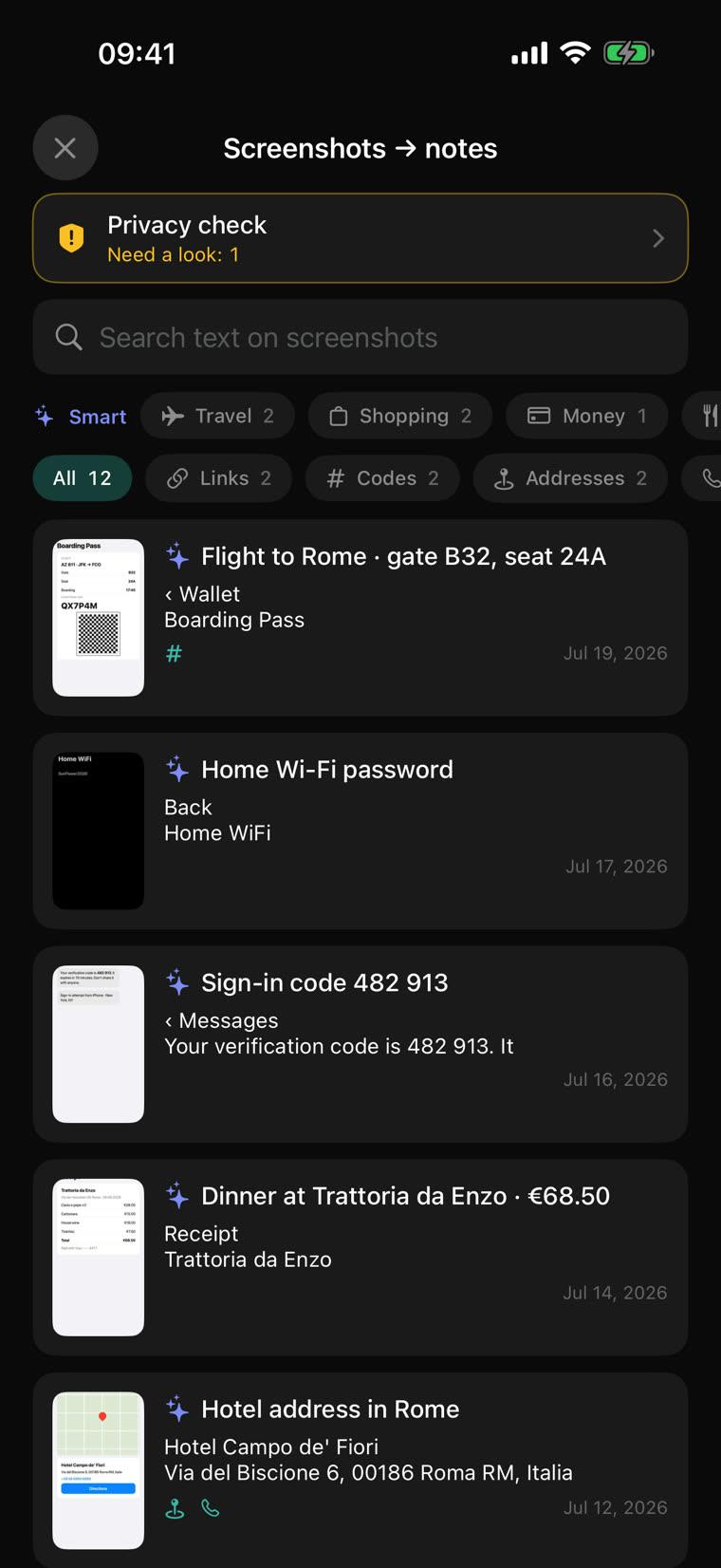
Screenshots, sorted for you.
Yeld reads the text in your screenshots on your iPhone. Search them by what they say, keep what matters as a note, clear the rest.
- Find any code, link, address or receipt
- On iPhones with Apple Intelligence, every screenshot gets a title and a topic
- Save a whole group as one note
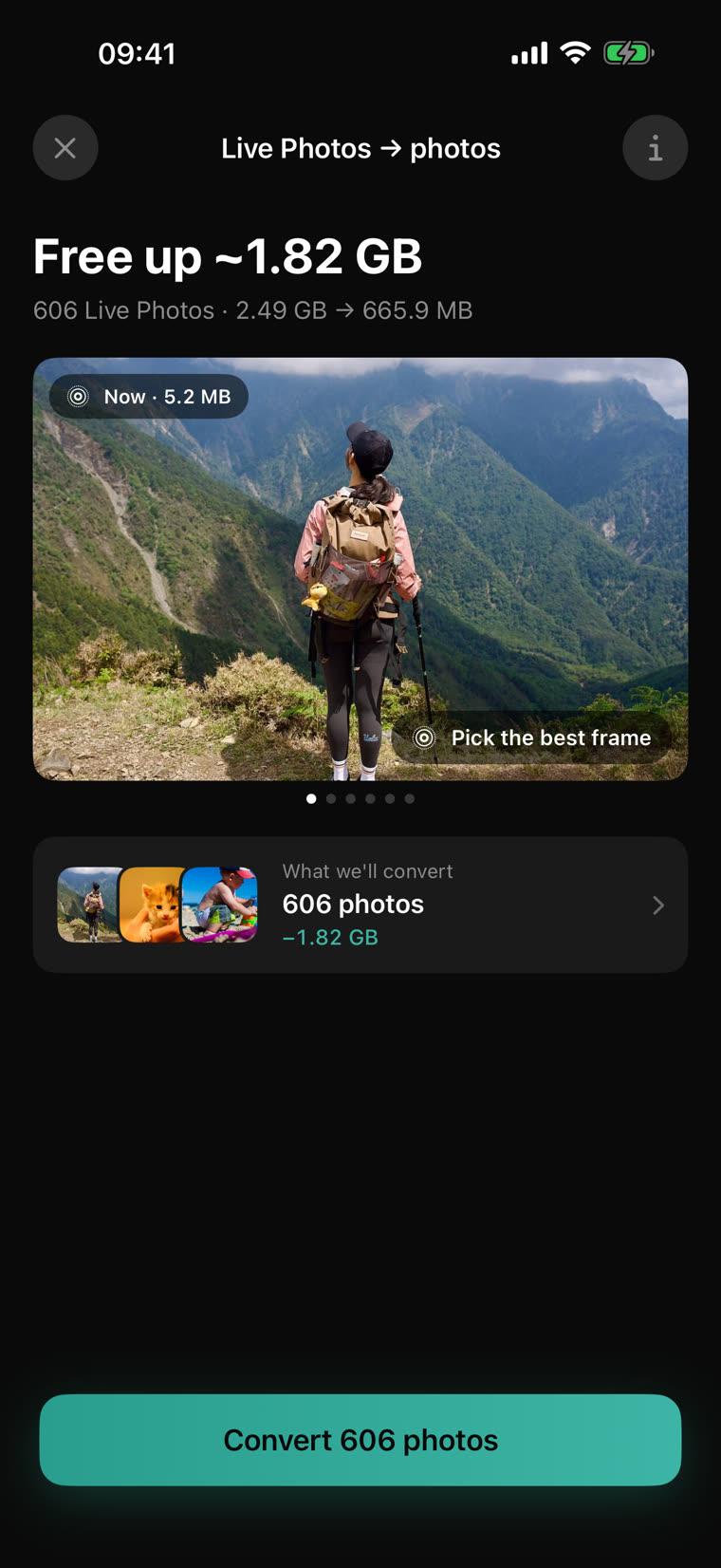
Keep the photo. Lose the weight.
Every Live Photo carries a short video. Yeld keeps a plain photo, the main picture or a better moment you pick, and frees the rest. ProRAW becomes HEIF.
- Pick the best frame, not only the one the camera chose
- See how much space comes back before you convert
- Originals wait in Yeld Trash until you empty it
Every trip, cleaned in minutes.
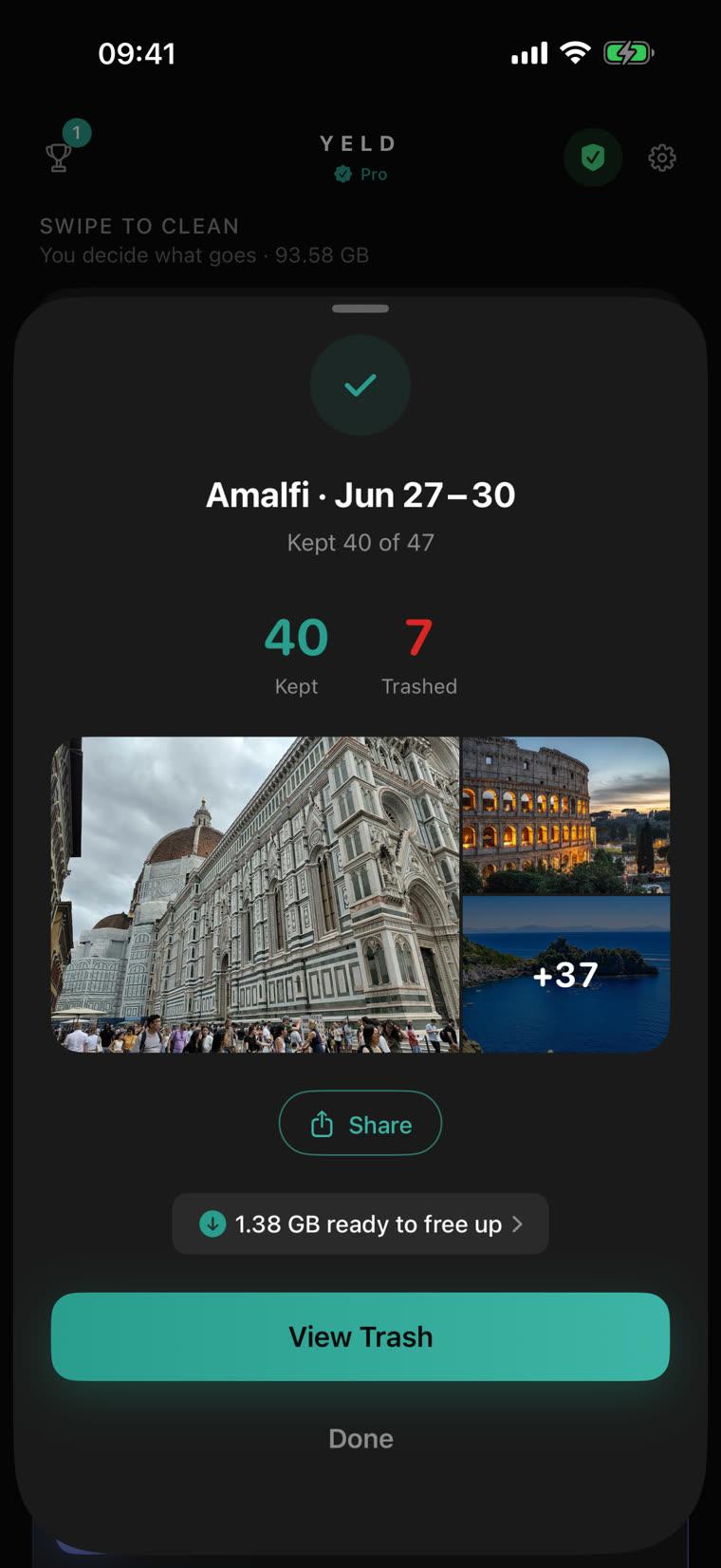
Yeld finds your trips and busy days. Swipe through one, keep the best shots, and get a recap when you’re done.
- Trips named after the city
- A recap you can share
- Swiping is free, with no limits
Duplicates? Best one kept.
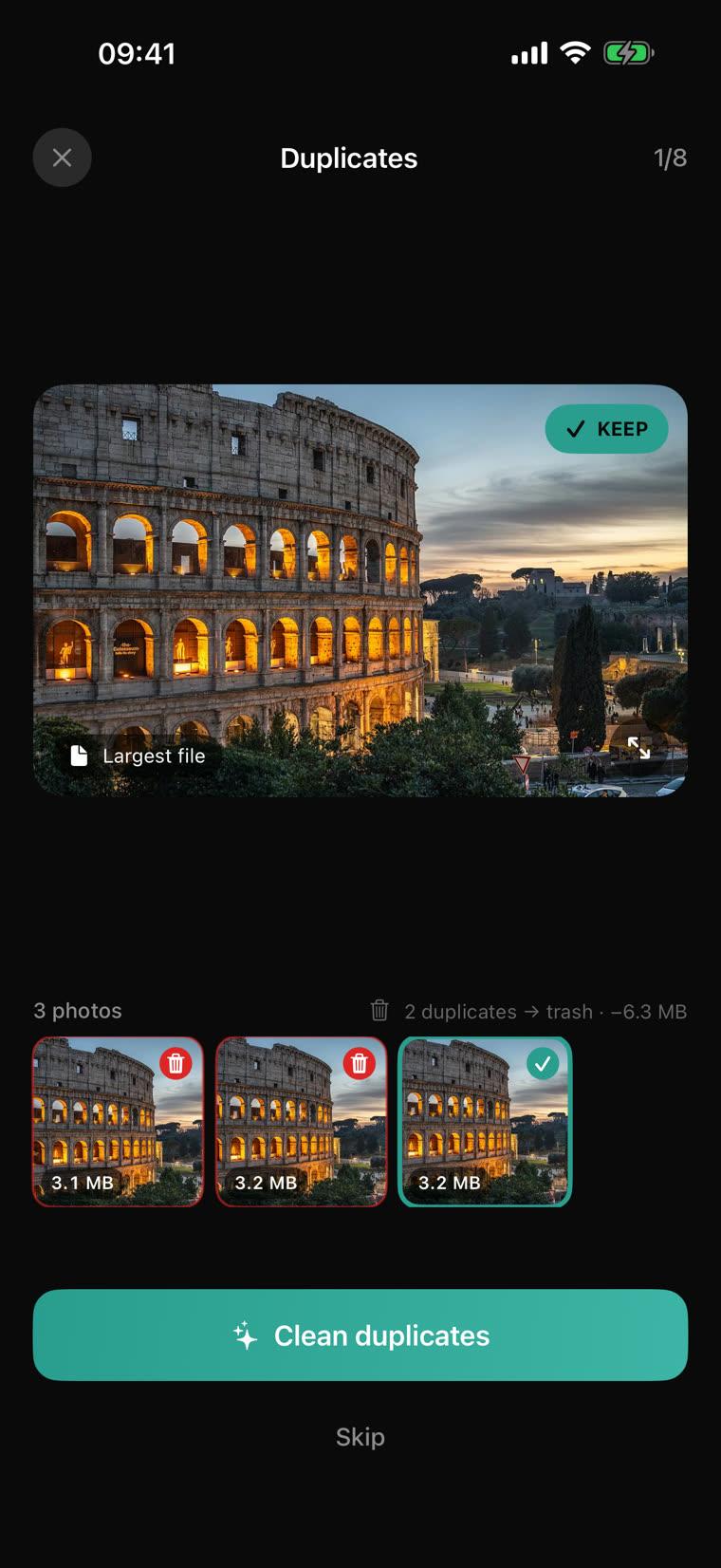
Near-identical shots side by side, each with its size. Yeld picks the best one; tap another to keep it instead.
- Compare every shot without leaving the screen
- See how much space the copies take
- Free, no limits
Nothing is lost by accident.
- Step 1
Swipe left
The photo goes to Yeld Trash, not out of your library. Originals of compressed videos wait there too.
- Step 2
Change your mind
Restore one photo or all of them with a tap. Favorites are never offered for deletion.
- Step 3
Empty Yeld Trash
Only then are photos deleted, and iOS asks you to confirm first.
Make it a habit.
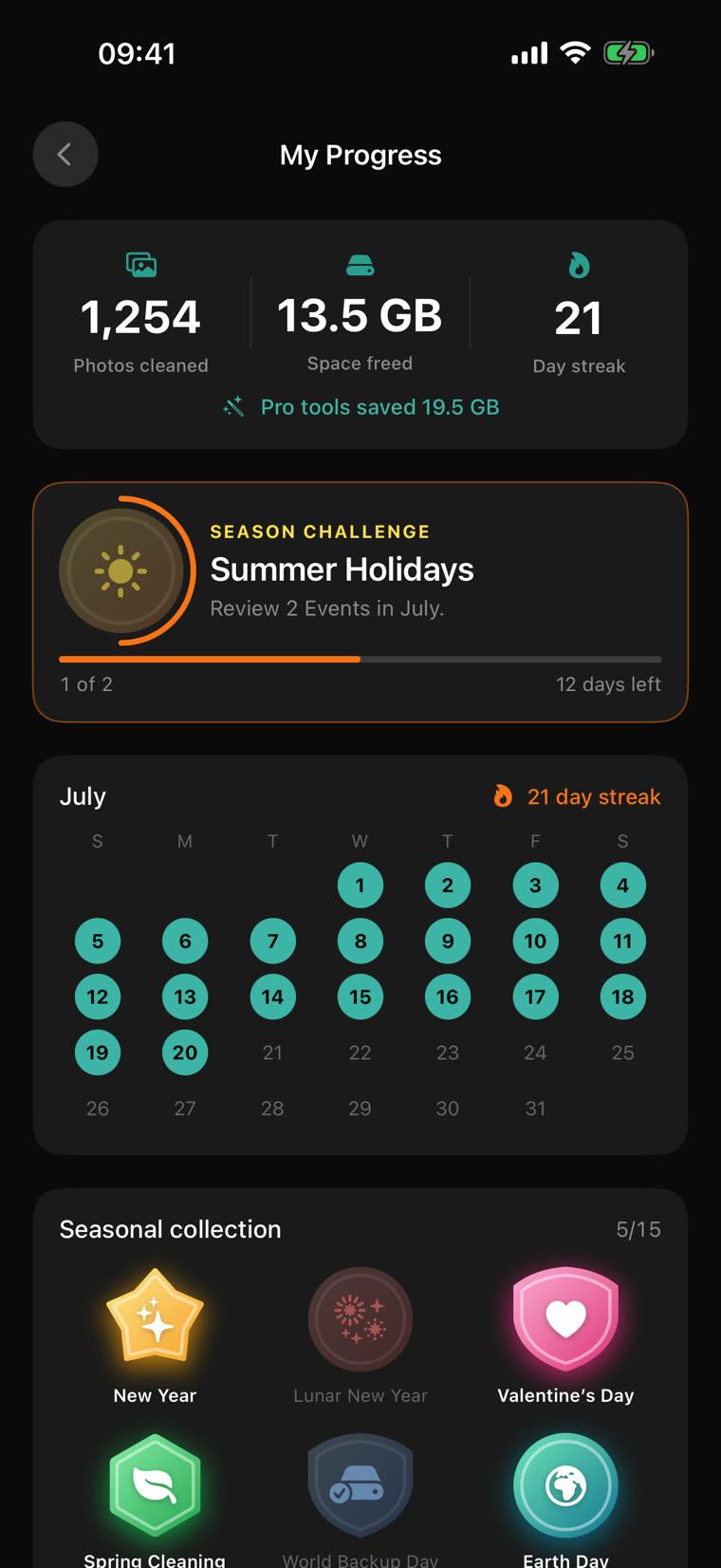
A few minutes a day keeps your iPhone light. Yeld keeps score: space freed, days cleaned, a streak calendar and seasonal badges.
- Streaks and a calendar of your cleaning days
- Seasonal challenges and badges
- Everything stays on your iPhone
Free to clean. Pro to save more.
Everything you need to clean up is free. Yeld Pro is one purchase that unlocks every tool. No subscription.
Free
Forever, no limits
- Swipe through all photos, videos and screenshots — no limits
- Trips and events, with a recap
- Duplicates, compared side by side
- Yeld Trash: restore anything before it’s gone
- Privacy check: screenshots with cards, passwords and IDs
- Your progress, streaks and badges
Yeld Pro
One purchase, yours to keep
- Video compression — gigabytes back, nothing deleted
- Live Photos to photos, from the best frame
- Screenshots to notes, with Apple Intelligence titles
- ProRAW to HEIF
- Try every tool for free first
Subscribed to Premium before? Pro is already yours.
Questions
How do I free up storage on my iPhone without deleting photos?+
Compress the videos you keep. Videos take most of an iPhone’s space; Yeld makes a copy that looks the same on your iPhone and takes about 12 times less room. It also turns Live Photos into still photos. The originals wait in Yeld Trash until you decide to empty it.
How do I delete duplicate photos on iPhone?+
Open Duplicates in Yeld. It shows near-identical shots side by side with their sizes and picks the best one. Tap another to keep it instead, then clean the copies. They go to Yeld Trash first, so nothing is lost by accident.
Is Yeld free?+
Yes. Swiping through your whole camera roll, Duplicates, trips and Yeld Trash are free with no limits. Yeld Pro is a one-time purchase, not a subscription, for video compression, Live Photos, Screenshots to notes and ProRAW; each Pro tool can be tried for free first.
Does Yeld upload my photos?+
No. Everything happens on your iPhone: sorting, compression, reading text in screenshots and Apple Intelligence titles. There is no account and no cloud processing.
Can I get a deleted photo back?+
Yes, as long as it is in Yeld Trash: restore one photo or all of them. Photos leave your library only when you empty Yeld Trash and confirm the iOS prompt.
What do I need to run Yeld?+
An iPhone with iOS 17.6 or later. Screenshot titles and topics need an iPhone with Apple Intelligence turned on; everything else works on any supported iPhone.
How do I find screenshots with passwords or card numbers?+
Use Privacy check in Yeld. It reads your screenshots on your iPhone and finds card and bank account numbers, passwords, recovery phrases and ID documents. Go through them one at a time: delete, hide in Photos or keep. It’s free, and nothing leaves your iPhone.